
Setting Up Your Computer Workstation : Mistakes You Really Need to Stop Making
Let’s be honest – most of us have set up our desk without thinking too much about it. You grab a chair, plonk down a monitor, plug everything in, and call it done. Sound familiar ? I’ve been there too. And then three months later you’re dealing with neck pain, a chaotic tangle of cables behind the desk, and a setup that somehow makes you less productive than working from a café.
The Same Mistakes, Over and Over Again
The thing is, a poorly planned computer workstation costs you more than just comfort. It costs you focus, time, and sometimes your health. There are some genuinely great resources out there https://www.amenagement-informatique.fr/ is one I’ve referenced more than once when rethinking my own setup – and the recurring theme is always the same : people make the same avoidable mistakes over and over again.
So let’s go through them. Properly.
Mistake #1: Ignoring Monitor Height (And Paying for It Later)

This one is huge. Frankly, it’s the mistake I see most often. People position their screen too low – usually just flat on the desk – and then wonder why their neck aches after a few hours of work.
The rule is simple : the top of your screen should be roughly at eye level, maybe just slightly below. Not the centre, the top. Your eyes naturally rest at a slight downward angle, and working with a screen that’s too low forces you to tilt your head forward constantly. Do that for eight hours a day and your neck and upper back will remind you about it.
A monitor arm costs around £20–40 and it solves this immediately. Or even a solid monitor stand. There’s really no excuse in 2024 to still be squinting down at a screen lying flat on your desk.
Mistake #2: Bad Lighting – Both Too Much and Too Little
Lighting is one of those things that seems fine until it isn’t. You sit down, work for two hours, and suddenly you’ve got a headache you can’t explain. More often than not, it’s the light.
Two common problems here :
Screen glare. If your monitor is in front of a window, you’re basically fighting the sun all day. The glare strains your eyes without you even noticing. Move your desk so the window is to the side – not behind you, not in front of you.
Working in the dark. On the other end – and this one surprises people – working in a very dim room with a bright screen is also a problem. The contrast between your glowing screen and a dark background creates eye fatigue fast. You want ambient light that roughly matches the brightness of your screen.
A simple desk lamp with a warm, adjustable light makes a genuine difference. Not glamorous advice, maybe, but it works.
Mistake #3: The Chair Is an Afterthought
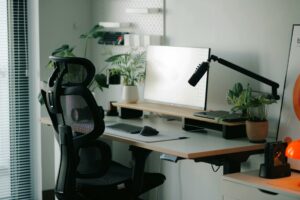
People will happily spend £800 on a graphics card and then sit on a £30 chair from a supermarket. I find that baffling, honestly.
Your chair is arguably the most important piece of equipment at your workstation. You’re in it for hours every day. A chair without proper lumbar support, without adjustable height, without armrests – that’s an injury waiting to happen.
You don’t need to buy a Herman Miller. But you do need :
Adjustable seat height so your feet are flat on the floor and your knees are at roughly 90 degrees.
Lumbar support that actually hits your lower back – not a cushion that migrates to the wrong position.
Armrests that allow your shoulders to stay relaxed, not hunched up.
If you’re working from home and still on a kitchen chair, please – this is the first thing to fix.
Mistake #4: Cable Chaos That Slows Everything Down
Okay, cables don’t directly affect your health (mostly), but a desk buried in cables is a surprisingly effective focus killer. Every time you need to unplug something or trace a wire, it pulls you out of your flow. And there’s something about visual clutter that makes a workspace feel stressful, even subconsciously.
The fix doesn’t need to be expensive or complicated. A few cable clips, some velcro ties, and maybe a small cable management tray under the desk – that’s genuinely enough to go from chaos to clean. Takes maybe an hour. Worth every minute.
Mistake #5: Not Thinking About Keyboard and Mouse Placement
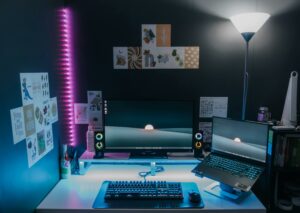
Here’s one that trips people up : the keyboard and mouse should be at a height where your elbows are bent at roughly 90 degrees and your wrists stay neutral – not bent upward, not bent down.
When the desk is too high, your shoulders creep upward. When it’s too low, you’re hunching forward. If you can’t adjust your desk height, adjusting your chair height and using a footrest is a practical workaround.
Also – and this sounds small but it isn’t – don’t put your mouse too far away. Reaching repeatedly for your mouse, even by an extra 10cm, puts strain on your shoulder over time. Keep everything within natural arm’s reach.
Mistake #6: Underestimating the Impact of Room Temperature and Ventilation
This one rarely makes it into workstation guides, but it should. A hot, stuffy room reduces concentration noticeably. Studies on workplace productivity consistently show that temperatures above around 24–25°C start to impair focus and decision-making.
If your office or home setup has poor air circulation – maybe you’ve got your tower PC pushed under the desk in a corner where heat builds up, or you’re in a small room with no window – it’s worth thinking about. A small fan, cracking a window, or simply rearranging your setup can help more than you’d expect.
A Few Quick Fixes Worth Mentioning

Before wrapping up, here are a few smaller mistakes that are still worth flagging :
Not taking breaks. Even the best ergonomic setup doesn’t replace the need to get up every 45–60 minutes. A quick stretch, a short walk – your back and eyes will thank you.
Speakers placed badly. If you use external speakers, they should ideally be at ear level and symmetrically placed. It doesn’t affect your health but it affects the experience, and for the same cost you get dramatically better sound.
No wrist rest for long typing sessions. A gel wrist rest isn’t always necessary, but if you’re typing for hours every day and already feeling strain in your wrists, it’s worth trying before anything more drastic.
The Bottom Line
Most workstation mistakes aren’t complicated to fix – they just require paying attention to the things we usually ignore when we’re busy working. Monitor height, lighting, chair quality, cable management, keyboard placement. None of this is rocket science.
But done right ? Your workspace stops fighting you and starts supporting you. And that’s the whole point.
Take a look at your desk right now. What’s the one thing that’s clearly wrong ? Start there. You might be surprised how much difference one small change makes.